|
HOW TO USE YOUR GROUPON VOUCHER ON OUR SITE:
If you have purchased a voucher from Groupon for use here on the Bigpockets website, please follow the instructions below carefully. Remember, you can only use your Groupon voucher once so to avoid problems, please complete the transaction in one go.
1: Have your Groupon voucher code to hand. It helps if you copy it from the email you received from Groupon so you can just paste it into the voucher code box at your basket.
2: Add the correct item to your basket:
Kensington iPad 2 Protection Band - SINGLE
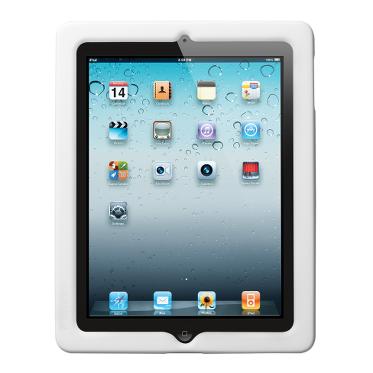 White White 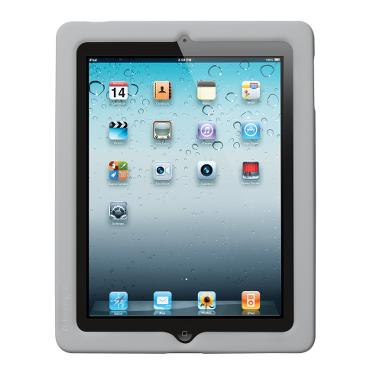 Cool Grey Cool Grey 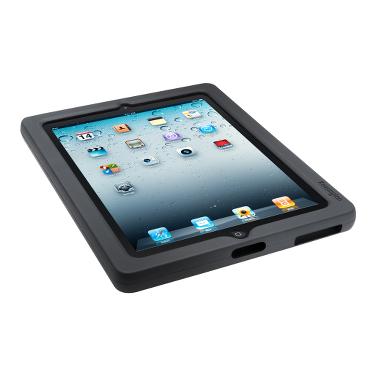 Black Black
Kensington iPad 2 Protection Band - TWIN PACK
White Cool Grey Black
(links open in new tab so this page remains open)
3: The product will appear in your basket at the top of the right hand column of the page. Now click on either 'view' or 'add promo voucher'.
4: On clicking either of the above, you will be taken to the main basket page. There is a box labeled 'Enter A Promotional Voucher Code'. Paste your Groupon voucher code here and click 'Add Voucher'. Note: When pasting your voucher code, ensure there are no spaces before or after the code or it will not be recognised.
5: After clicking 'add voucher' you will see the product price has been reduced to £0.00. Now simply continue through the checkout process, pay for the postage and your order will be processed.
6: Remember, the code can only be entered once so please don't close the brower until your order is complete.
If your order does not complete, please contact us to reactivate your voucher.
IMPORTANT - VOUCHER VALIDITY DATES:
Voucher is valid from 8pm the DAY AFTER you purchased it.
VOUCHERS ARE ONLY VALID FOR A CERTAIN PERIOD AFTER PURCHASE.
THIS IS STATED ON YOUR GROUPON VOUCHER RECEIPT.
Unfortunately the voucher can not be accepted outside of these dates
|


